
Why Incidents Fail to Trigger
Troubleshooting common issues related to incident trigger failures
There are a few reasons why an incident would fail to trigger:
- A Service Was Disabled or in a Maintenance Window
- Event Orchestration is Configured to Suppress Certain Alerts
- Email Integration Filters
- Email Management Rules Were Appending Triggers to Existing Incidents
- No One Was On-Call
A Service Was Disabled or in a Maintenance Window
When a service is disabled or in a Maintenance Window, new incidents are not triggered or created on that service. Because no incident is created, PagerDuty does not send notifications to the service's on-call responders.
Event Orchestration is Configured to Suppress Certain Alerts
If you have Event Orchestration configured on your account, you may have rules that suppress alerts meeting certain criteria. In those cases, no incident is triggered.
Navigate to AIOps Event Orchestration and select the orchestration containing the action rule you want to check. Under Incident Data Basic Event, check whether the Suppress incident and notifications checkbox is enabled.
Email Integration Filters
If you have regex filters set up on your email integration service, check whether your email filters are filtering out emails that you want to trigger incidents.
For example, if you have the following regex filter:
Trigger an alert if All of the following conditions apply: The email subject matches the regular expression CRITICAL
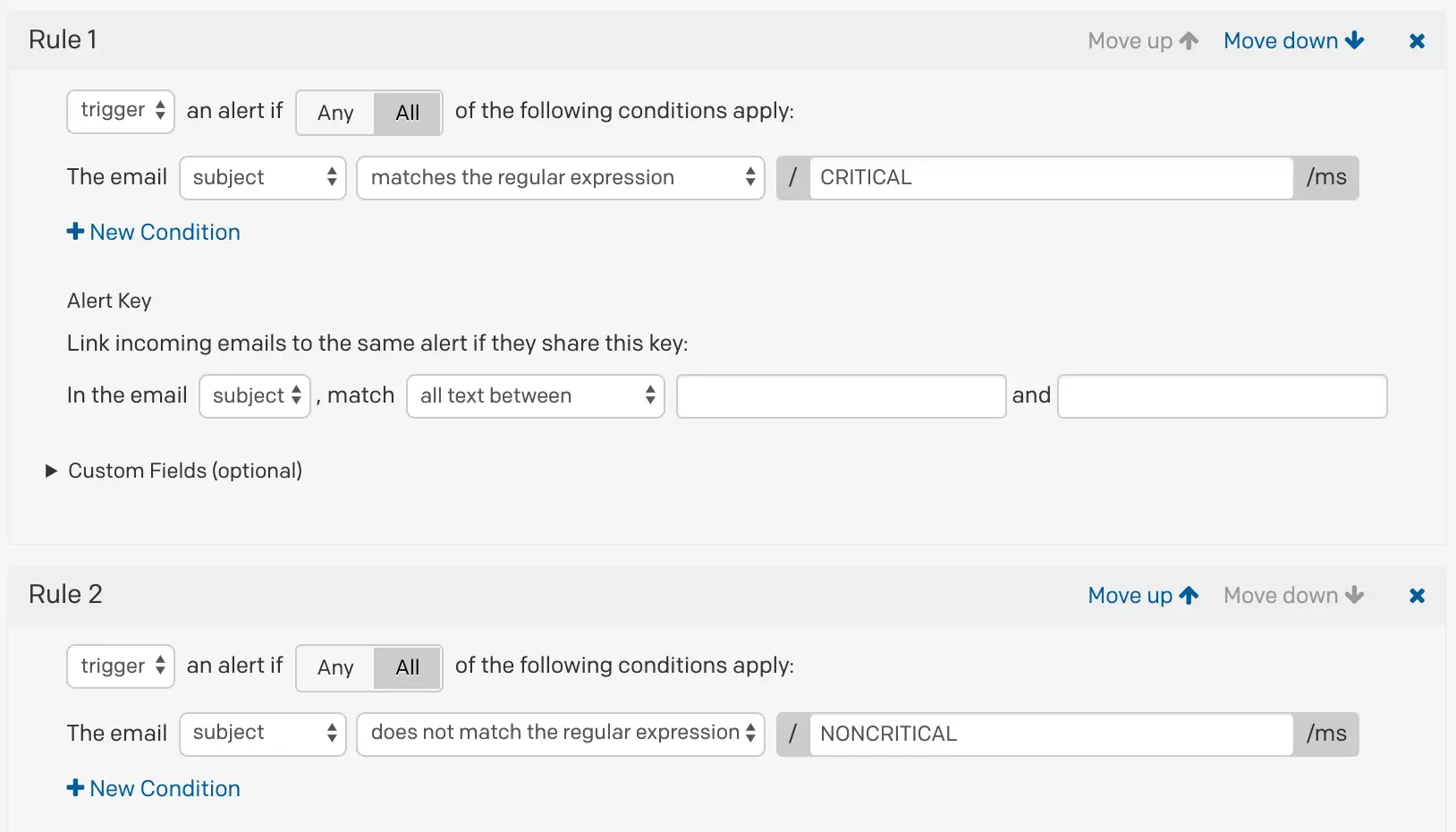
Email integration settings
Emails with the subject line "PROBLEM" do not trigger incidents in PagerDuty because they are filtered out by your regex rules.
- Regex Examples
- Test your regular expressions with Regex101 — use the Golang flavor with the
mandsflags to see exactly how PagerDuty interprets your regex.
Email Management Rules Were Appending Triggers to Existing Incidents
Email integration settings include email management rule settings, which are separate from email filters. Email filters determine which emails trigger incidents for your service. Email management rules determine how emails create new incidents.
If you have either of the following email management rules configured:
- Open a new alert only if an open incident does not already exist
- Open and resolve alerts based on custom rules
...then an incident was most likely appended to an existing incident rather than creating a new one. When a trigger event is appended to an incident, it appears in the incident's timeline. Refer to Trigger and Resolve Alerts/Incidents for more information.
No One Was On-Call
If no one is on-call under a service's escalation policy, PagerDuty cannot assign a user to an incident and does not create a new incident.
For example, if your escalation policy only has a schedule where one user is on-call from 00:00–08:00, and a trigger event comes in between 08:01–23:59, PagerDuty does not create an incident because no one is on call during that time.
To address this issue, review the Escalation Policy for your service and ensure someone is on-call when incidents are triggered.
Trigger an Incident in the Web AppIf you try to trigger an incident through the web app while no one is on-call on the escalation policy associated with that service, you receive the error Incident could not be assigned.
Updated 4 months ago