
Status Update Templates
Customize and standardize your status updates
Status update templates simplify and standardize incident status communications. This feature frees up time during incident response and keeps stakeholders informed with consistent, detailed context.
AvailabilityThis feature is available on current Business, Enterprise for Incident Management, and Digital Operations (Legacy) plans. Contact the Sales Team if you want to upgrade to a plan that includes this feature.
Required User PermissionsUsers with the following roles can create and edit status update templates:
- Manager
- Global Admin
- Account Owner
Any role can use a status update template during incident response.
Create a Template in the Web App
Product LimitYou can add up to 500 templates to your account.
- Navigate to Incidents Status Update Templates.
- Click New Template.
- Enter the following information, then click Create Template:
| Field | Value |
|---|---|
| Name | Enter a name for the template. |
| Description (Optional) | Enter a description for the template. |
- Enter the following information in the fields provided:
| Field | Value |
|---|---|
| Message | In the Message template section, enter your desired text. This text appears in push, email, and SMS status update notifications. |
| Subject | In the Email template section, enter a subject line. |
| Body | In the Email template section, use the rich text editor to customize the default email status update notification body. Refer to the Fields in Email Notifications section for more information about including dynamic content. |

Message template
- Click Save. Before saving, click Preview in the top-right at any time to view how the message appears in each notification channel.
Fields in Email Notifications
Email status update notifications can dynamically include information about the status update or incident. You can select standard fields and custom fields.
While editing the email status update notification in the rich text editor:
- In the Fields panel on the right, click to copy the field to your clipboard.
- Paste the field into the appropriate place in the email template.
The field appears in the email body between double curly braces — for example, {{ status_update.message }}.
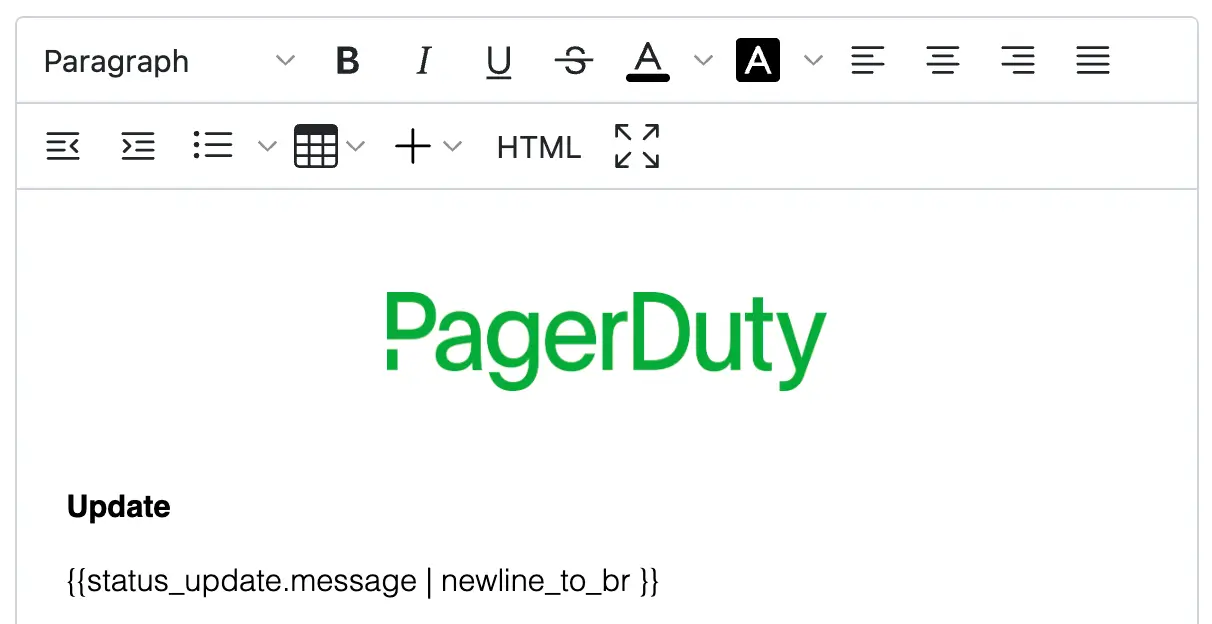
Status update message field
The most common fields are listed by default. You can also enter a term to search for a more complete list of objects and their associated attributes. Refer to the FAQ section for a full list of supported fields.
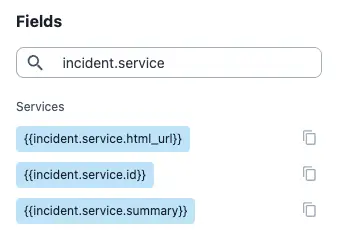
Search fields
Support for Liquid Templating Language
Status update templates support the Liquid templating language across all configurable fields, including Message and email Subject and Body, for conditional communications.
When referring to fields inside a Liquid tag, omit the double curly braces {{ ... }}. The following snippet transforms the incident title to uppercase for incidents with a "P1" priority, and otherwise leaves it unchanged:
{% if incident.priority.name == "P1" %}
  {{ incident.title | upcase }}{% else %}{{ incident.title}}
{% endif %}
NoteThe following Liquid tags are not supported:
tablerowliquidechorenderinclude
Fields with Multiple Values
Depending on where an incident is in its lifecycle, the following fields can contain more than one value (that is, in an array):
- Status updates,
incident.previous_status_updates - Impacted business services,
incident.impacted_business_services - Impacted technical services,
incident.impacted_services - Acknowledgements,
incident.acknowledgements - Assignments,
incident.assignments - Teams,
incident.teams
Since these items are stored in an array, you might need to provide an index to access the values of their properties. For example, {{incident.previous_status_updates[0].message}} displays the first status update associated with the incident.
Alternatively, use a for loop to display all values stored in an array. The following example iterates through all status updates associated with an incident:
{% for update in incident.previous_status_updates %}
  {{update.message}}
{% endfor %}
You can also access more than one of the properties associated with the update variable. For example, you can include the time of a status update with the message:
{% for update in incident.previous_status_updates %}
  {{update.created_at}} — {{update.message}}
{% endfor %}
You can also display only the most recent status update and its creation time. Status updates are sorted by date and time in descending order, so use Liquid's first syntax to display only the most recent update:
{% assign update = incident.previous_status_updates | first %}
{{update.created_at}} — {{update.message}}
For more information, refer to the Liquid templating language documentation.
Edit a Template in the Web App
- Navigate to Incidents Status Update Templates.
- Click Edit to the right of the template you want to edit.
- Edit the template as desired.
- Click Save.
Duplicate a Template in the Web App
- Navigate to Incidents Status Update Templates.
- Click Duplicate to the right of the template you want to duplicate.
- Enter the following information, then click Duplicate Template:
| Field | Value |
|---|---|
| Name | Enter a new name for the template. |
| Description (Optional) | Enter a new description for the template. |
Delete a Template in the Web App
Deletion WarningDeleting a template cannot be undone.
- Navigate to Incidents Status Update Templates.
- Click Delete to the right of the template you want to delete.
- In the confirmation modal, click Delete.
Use a Status Update Template During Incident Response
- Navigate to the incident details page.
- Select the Status Updates tab.
- Click New Update.
- Select a communication template from the dropdown.
- Click Preview.
- (Optional) Adjust the pre-populated text in the Message field if needed. Adjustments made in the Message field also reflect in the email body.
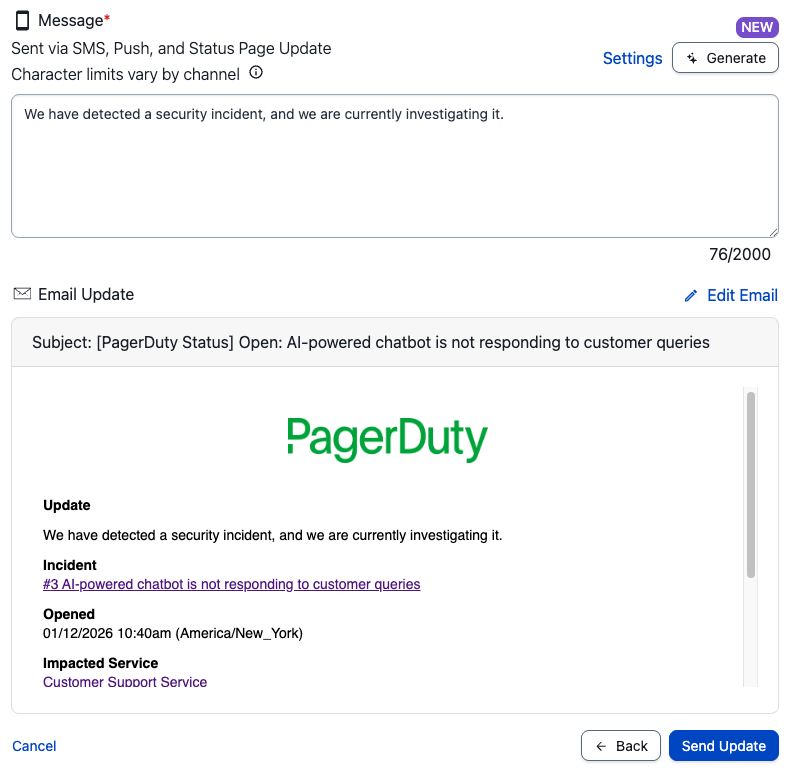
Status Update Template
- Click Send Message to notify incident subscribers.
RequirementThe email Subject has a maximum of 255 characters. A status update notification containing more than the maximum character length returns the following error message:
There is a problem with this template. Please report this problem to your account administrator.If this occurs, click Edit Email to adjust the Subject.
FAQ
What is the full list of supported fields?
The following table details the full list of fields you can use in your status update templates:
| Category | Field | Description | Example Value |
|---|---|---|---|
| Incident | incident.created_at | The time the incident was created | 2022-10-06T21:30:42Z |
incident.html_url | PagerDuty URL to this incident | https://subdomain.pagerduty.com/incidents/PT4KHLK | |
incident.id | Unique ID of the incident | Q0U747RKFEV100 | |
incident.incident_number | The incident number | 1234 | |
incident.last_status_change_at | The time of the last status change for this incident | 2022-08-15T16:57:40Z | |
incident.last_status_change_by.html_url | PagerDuty URL of the entity that made the last status change | https://subdomain.pagerduty.com/service-directory/PAW0B9L | |
incident.last_status_change_by.id | The ID of the entity that made the last status change | PAW0B9L | |
incident.last_status_change_by.summary | The name of the entity that made the last status change | Technical Service Name | |
incident.last_status_change_by.type | The type of entity that made the last status change | service_reference | |
incident.priority.name | The priority of the incident | P2 | |
incident.resolved_at | The time the incident was resolved | 2023-08-22T07:12:50Z | |
incident.status | The status of the incident | acknowledged | |
incident.summary | Short description containing the incident number and title | [#1234] The server is on fire. | |
incident.title | The title of the incident | The server is on fire. | |
incident.urgency | The urgency of the incident | high | |
incident.linked_records.servicenow_itsm_incidents[0].id | The ID of the ServiceNow ITSM incident | INC1234567 | |
incident.linked_records.servicenow_itsm_incidents[0].url | The URL of the ServiceNow ITSM incident | https://subdomain.servicenow.com/incident.do?sys_id=INC1234567 | |
incident.linked_records.servicenow_csm_cases[0].id | The ID of the ServiceNow CSM case | CS1234567 | |
incident.linked_records.servicenow_csm_cases[0].url | The URL of the ServiceNow CSM case | https://subdomain.servicenow.com/csm_case.do?sys_id=CS1234567 | |
incident.linked_records.jira_incidents[0].id | The unique identifier for the Jira incident | INC-1234 | |
incident.linked_records.jira_incidents[0].url | The URL of the Jira incident | https://subdomain.jira.com/browse/INC-1234 | |
incident.linked_records.salesforce_cases[0].id | The unique identifier for the Salesforce case | Case #123456 | |
incident.linked_records.salesforce_cases[0].url | The URL of the Salesforce case | https://subdomain.salesforce.com/incident.do?sys_id=Case%23123456 | |
incident.linked_records.zendesk_tickets[0].id | The unique identifier for the Zendesk ticket | 1234567 | |
incident.linked_records.zendesk_tickets[0].url | The URL of the Zendesk ticket | https://subdomain.zendesk.com/agent/tickets/1234567 | |
| Acknowledgement | incident.acknowledgements[X].acknowledger.html_url† | PagerDuty URL of the acknowledger | https://subdomain.pagerduty.com/users/PXPGF42 |
incident.acknowledgements[X].acknowledger.summary† | Name of the acknowledger | Earline Greenholt | |
incident.acknowledgements[X].acknowledger.type† | Acknowledger type | user | |
incident.acknowledgements[X].at† | Time this acknowledger was added to the incident | 2022-08-18T14:28:44Z | |
| Assignment | incident.assignments[X].assignee.html_url† | PagerDuty URL of the assignee | https://subdomain.pagerduty.com/users/PL0S7BA |
incident.assignments[X].assignee.id† | The ID of this assignee | PL0S7BA | |
incident.assignments[X].assignee.summary† | The name of this assignee | Earline Greenholt | |
incident.assignments[X].assignee.type† | Assignee type | user_reference | |
incident.assignments[X].at† | Time this assignment was added to the incident | 2022-08-15T16:57:40Z | |
| Communications | incident.conference_bridge.conference_number* | Conference bridge number for this incident | +1-415-555-1212,,,,1234# |
incident.conference_bridge.conference_url* | Conference URL for this incident | https://example.com/123-456-789 | |
incident.slack_channel.name | Slack channel name for this incident | Slack Channel Name | |
incident.slack_channel.url | Slack channel URL for this incident | https://slack.com/app_redirect?channel=somechannel&team=someteam | |
| Services | incident.impacted_business_services[X].id† | The ID of the impacted business service | PD1234 |
incident.impacted_business_services[X].summary† | The name of the impacted business service | Web API | |
incident.impacted_services[X].html_url† | PagerDuty URL of the impacted technical service | https://subdomain.pagerduty.com/service-directory/PAW0B9L | |
incident.impacted_services[X].id† | The ID of the impacted technical service | PAW0B9L | |
incident.impacted_services[X].summary† | The name of the impacted technical service | Technical Service Name | |
incident.service.html_url | PagerDuty URL of the technical service for this incident | https://subdomain.pagerduty.com/service-directory/PAW0B9L | |
incident.service.id | PagerDuty ID of the technical service for this incident | PAW0B9L | |
incident.service.summary | The name of the technical service for this incident | Technical Service Name | |
| Teams | incident.teams[X].html_url† | PagerDuty URL of the Team for this incident | https://subdomain.pagerduty.com/teams/PP2R1SK |
incident.teams[X].id† | The Team ID for this incident | PP2R1SK | |
incident.teams[X].summary† | The name of the Team for this incident | Billing Support | |
| Status Update | incident.previous_status_updates[X].created_at† | The time this status update was created | 2022-08-20T07:40:48Z |
incident.previous_status_updates[X].id† | The ID of this status update | PX69SY8 | |
incident.previous_status_updates[X].message† | The message of this status update | The team is still investigating the issue. | |
incident.previous_status_updates[X].sender.html_url† | PagerDuty URL of the user that created this status update | https://subdomain.pagerduty.com/users/PXPGF42 | |
incident.previous_status_updates[X].sender.id† | The unique ID of the user that created this status update | PXPGF42 | |
incident.previous_status_updates[X].sender.summary† | The name of the user that created this status update | Earline Greenholt | |
incident.previous_status_updates[X].sender.type† | Sender type of this status update | user_reference | |
sender.description | Profile description of the user sending the status update | Support Engineer | |
sender.email | The email of the user sending the status update | [email protected] | |
sender.html_url | URL to the user sending the status update | https://subdomain.pagerduty.com/users/PXPGF42 | |
sender.name | The name of the user sending the status update | Earline Greenholt | |
status_update.created_at | The time the status update is created | 2015-10-06T21:30:42Z | |
status_update.message | The message entered by a responder when creating a status update | The team is still investigating the outage. | |
status_update.status_dashboard_url | URL to the status dashboard for this incident | https://subdomain.pagerduty.com/status-dashboard/incidents/Q0U747RKFEV100 |
* If an incident has its own conference bridge, this value is shown. If not, and the conference bridge is configured at the service level, the service-level conference bridge information is displayed. If no conference bridge information is available, this value is empty.
† This field can contain more than one value. Refer to Fields with Multiple Values for tips on using the Liquid templating language to display multiple values.
Custom FieldsStatus update templates support custom fields. Search for custom fields using their Field Name, or find them in the Incident section.
Updated 4 months ago