
Jeli Learning Center (Legacy)
Jeli Part of PagerDuty Legacy
The Learning Center provides a high-level overview of the nature of incidents and incident response across your organization. By focusing on participation and on-call patterns, the Learning Center helps surface opportunities' impact on people, systems, and technology.
AvailabilityThe Jeli Learning Center is available with the Enterprise for Incident Management pricing plan.
If you are on Professional or Business pricing plans, you can have access to the Jeli Learning Center. PagerDuty releases this feature in a phased manner. If you do not see the Jeli Learning Center in your account, it is not yet available.
Contact our Sales Team to upgrade to a plan featuring Jeli.
Filter Data
You can use the following filters to adjust the Learning Center visualizations:
- Time Frame: Select a time frame from the right-hand dropdown to expand or limit opportunities included in the Learning Center visualizations. This action allows you to switch between viewing current and long-term trends in opportunity data. You can select from Today, Since yesterday, Last 7 days, Last 30 days, Last year, or All time.
- Opportunity Tags: Click Add tag(s) and select the desired opportunity tags to filter the opportunity data. These tags are additive, so the more tags you add to your filters, the larger the data set is.
Participation Patterns
Distribution of Opportunities
This visualization displays the impact of opportunities on the people in your organization, and the dates and times that opportunities occur most frequently. A darker square indicates more opportunities occurred in that time frame. You can also see which opportunities occurred during your working hours, which are marked by a yellow outline.
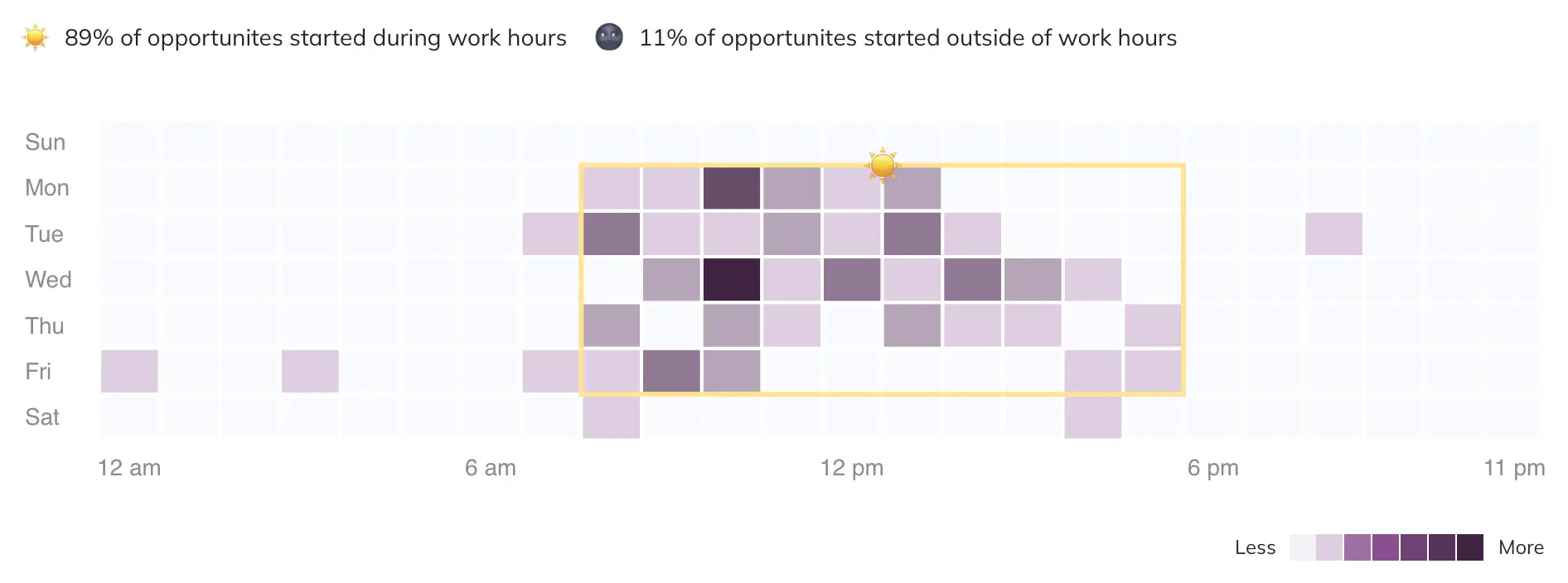
Distribution of opportunities
Click any square in the heat map to see a list of the opportunities that occurred on that date and time.
Change Working Hours
Working hours are defined as 8 a.m. to 5 p.m. The opportunity distribution chart is based on the timezone dropdown in the top menu bar. You can change your timezone to view the distribution of opportunities in other timezones.
Opportunity Tag Distribution
This visualization displays which opportunity tags by type are most frequently associated with opportunities, such as which services are most involved in opportunities. You can perform the following actions within this chart:
- Toggle between tag types using the dropdown in the chart title.
- Click the total opportunity count to see a list of the opportunities associated with each item within the selected time frame.
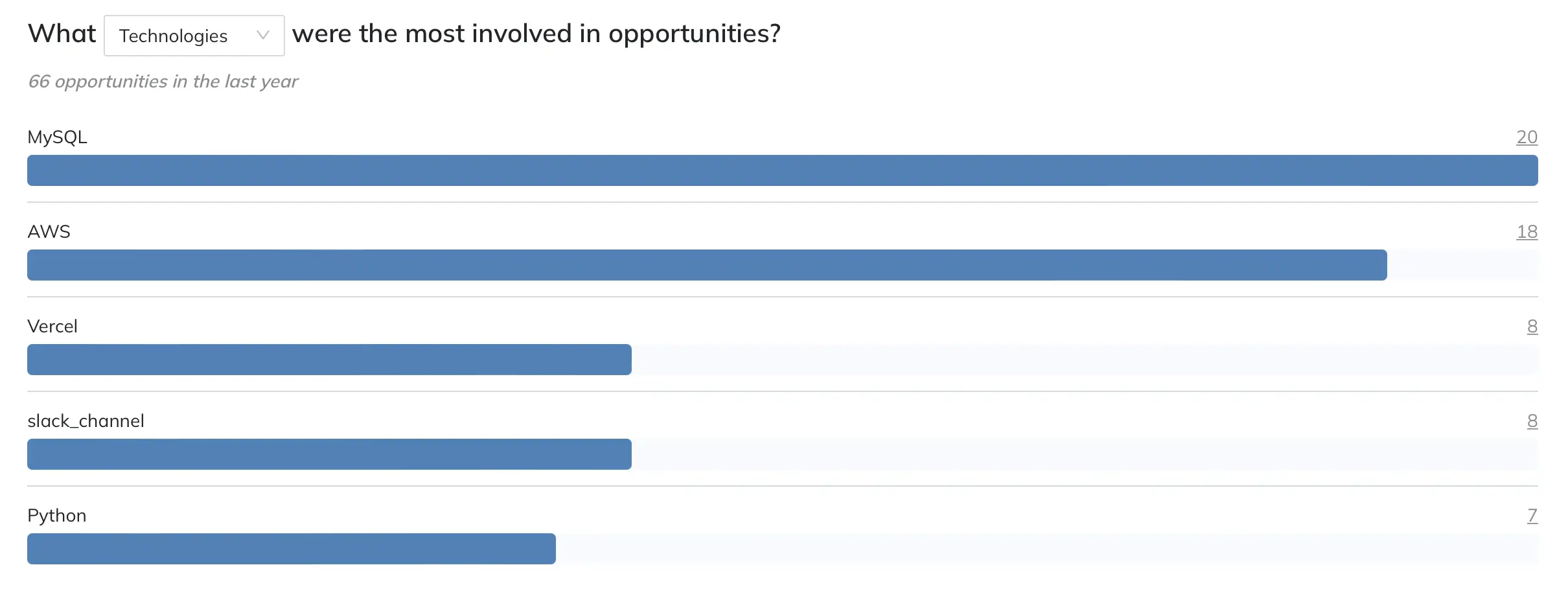
Opportunity tag distribution
On-Call Patterns
Opportunities with Participants Not On Call
Use this visualization to see which opportunities have the highest levels of participation from people who are not on call. You can perform the following actions within this chart:
- Click the opportunity name to view the opportunity report.
- Click the participant total to see a list of the participants who are not on call.
- Click the participant list at the bottom to see more information about participants who most commonly appear in the opportunities.
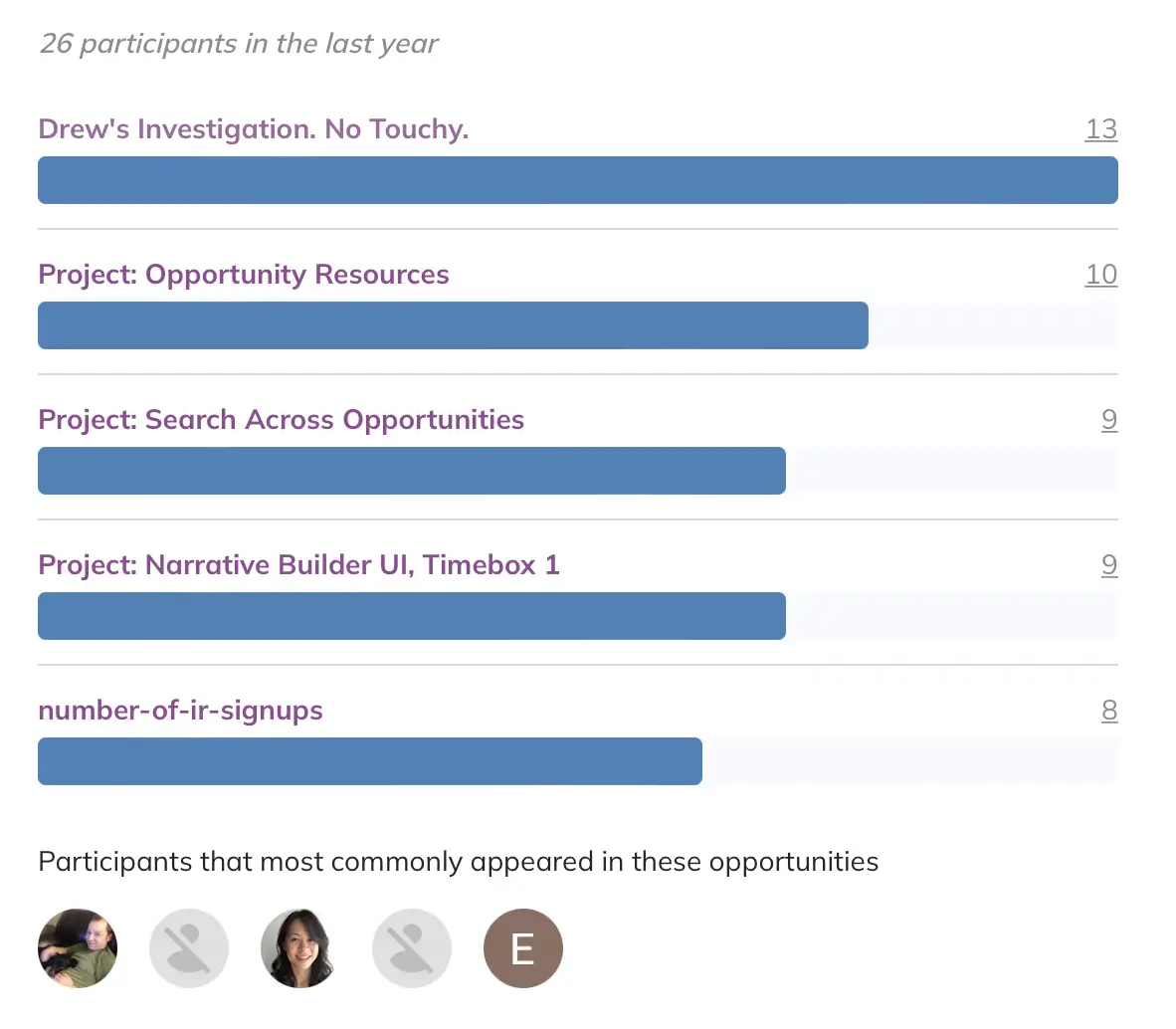
Opportunities with participants not on call
Participant Activity While Not On Call
Use this visualization to see which participants are most often involved in opportunities for which they are not on call. You can perform the following actions within this chart:
- Hover over an individual’s name to see more information about them. Click their name to navigate to their profile.
- Click the individual’s total opportunity count to see a list of the opportunities they respond to within the selected time frame.
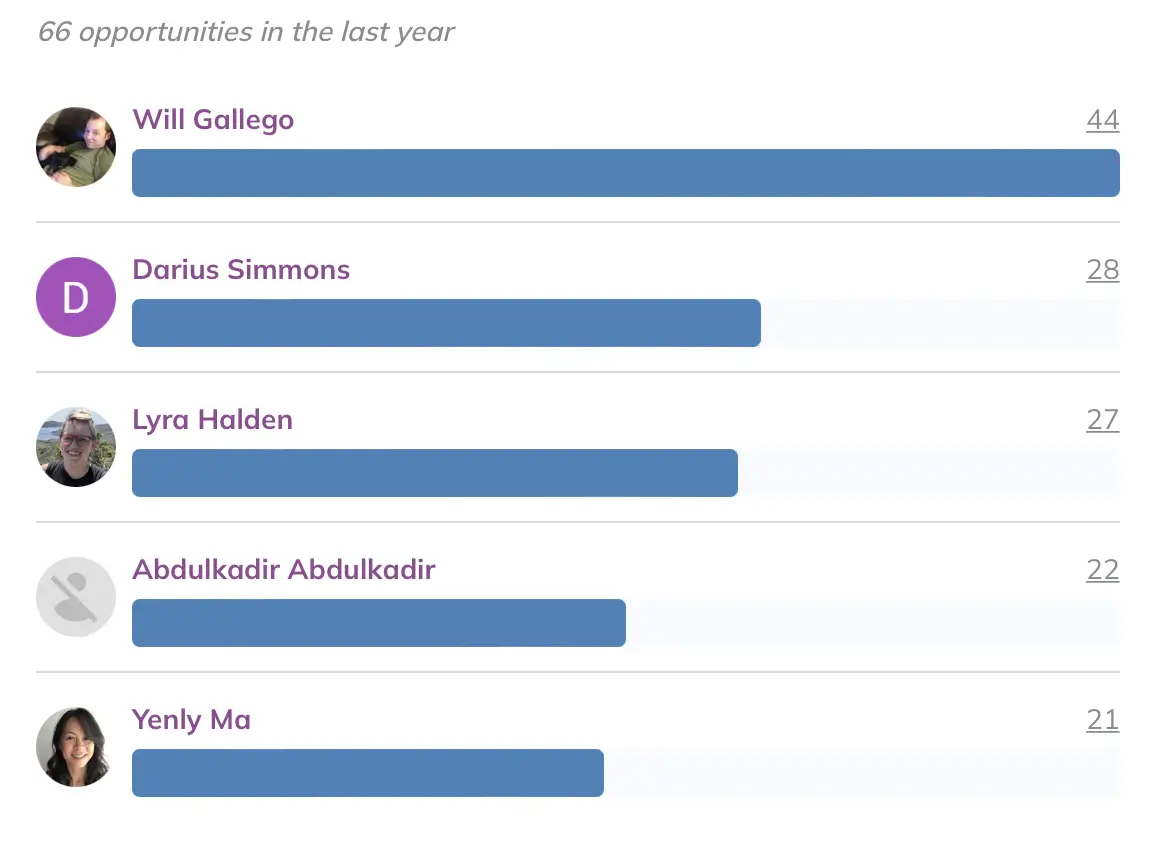
Participants not on call for the opportunity
FAQ
Who participated in the most opportunities?
This visualization displays who is most frequently involved in opportunities and when they are participating relative to their working hours. You can perform the following actions within this chart:
- Hover over an individual’s name to see more information about them. Click their name to navigate to their profile.
- Hover over their participation bar to see a breakdown of opportunities that occurred during and outside of working hours.
- Click an individual’s total opportunity count to see a list of the opportunities they respond to within the selected time frame.
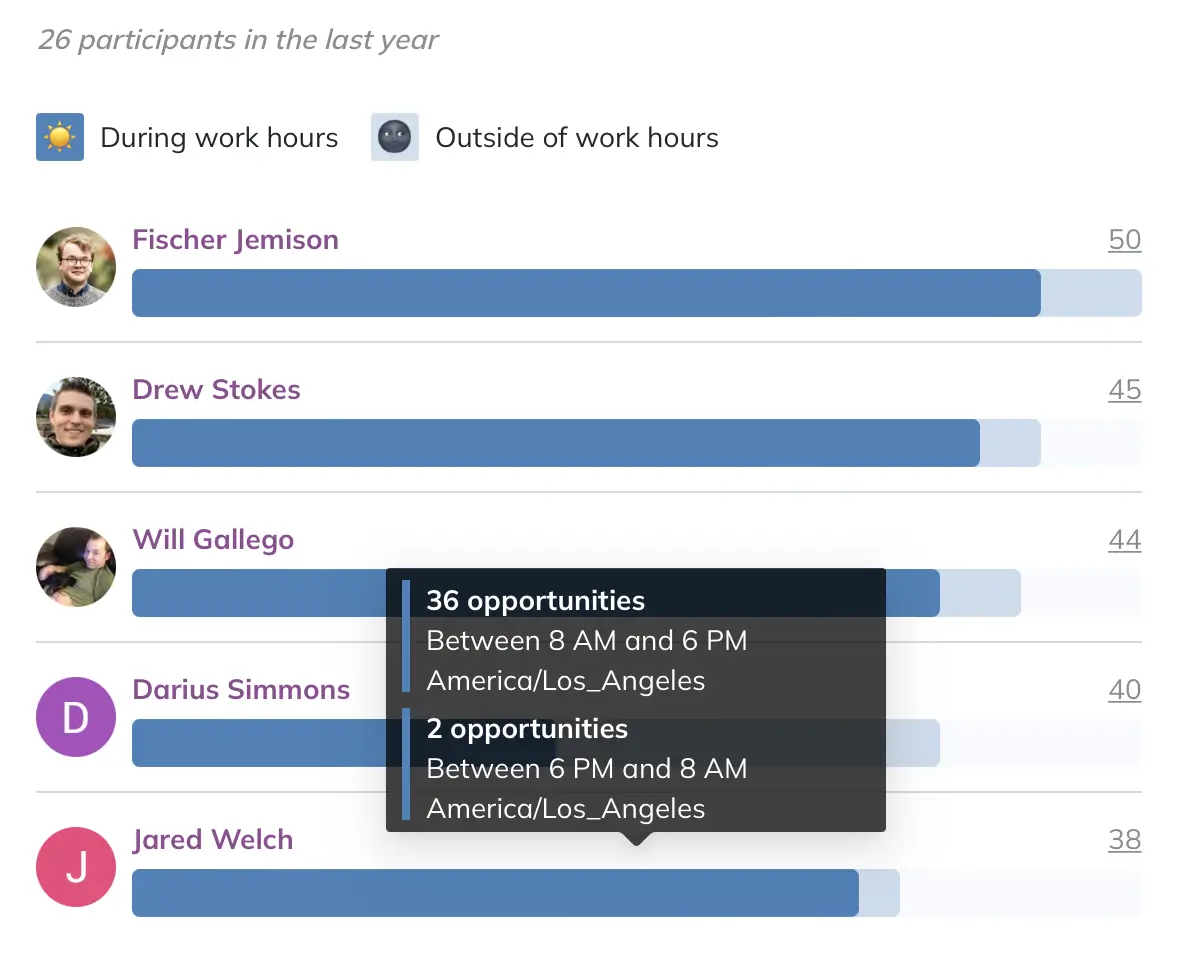
Opportunity participants
What was the distribution of tenure among participants?
Use this visualization to observe how participation levels fluctuate across various tenure levels within your organization. You can also determine how frequently participants engage when they are not on call during the specified time period.
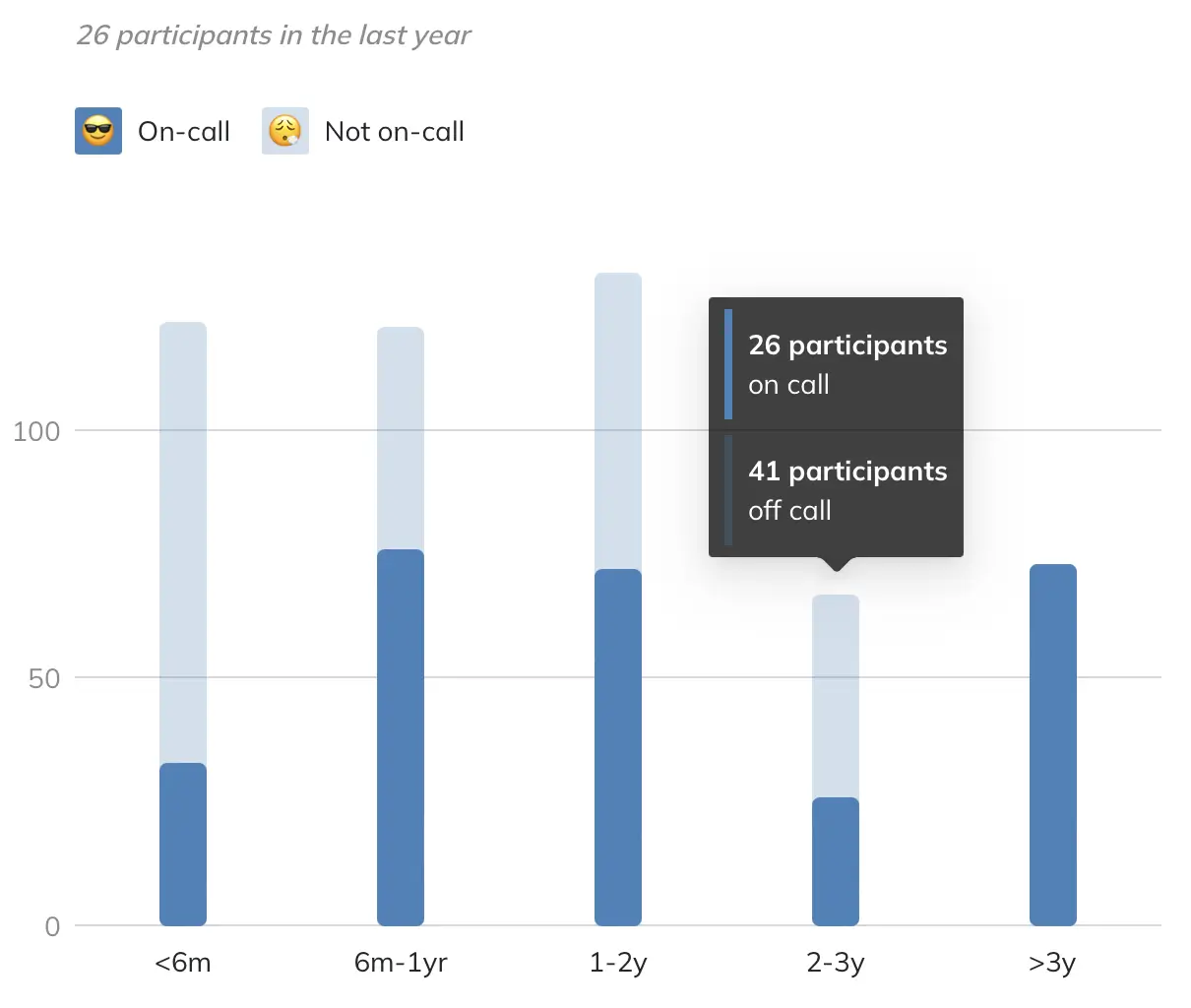
Tenure distribution
NoteIf you have not imported HR Data yet, you see a prompt to complete this step first.
Updated 3 months ago