
Paige Recommended Workflows
Overview
Paige helps streamline incident response by analyzing configured incident workflows and recommending the most relevant one based on the real-time context of each incident. Recommendations include an explanation of the reasoning and a potential ranked list of workflows.
You can use this feature in:
- Operations Console (AIOps customers only): On the Paige tab within an incident view, you see the agent's recommendation summary and reasoning, along with a Run recommended workflow button.
- Incident Details Page: On the Paige tab in the side panel, you see the agent's recommendation summary and reasoning, along with a Run recommended workflow button.
- Slack: Recommended workflow and run options appear within your associated incident channel.
Evaluate Incident Context
- Paige automatically reviews the incident context, including event payloads, historical incident patterns, service integrations, and conversation history.
- Click the Recommend a Workflow prompt. This action triggers Paige to evaluate all configured incident workflows.
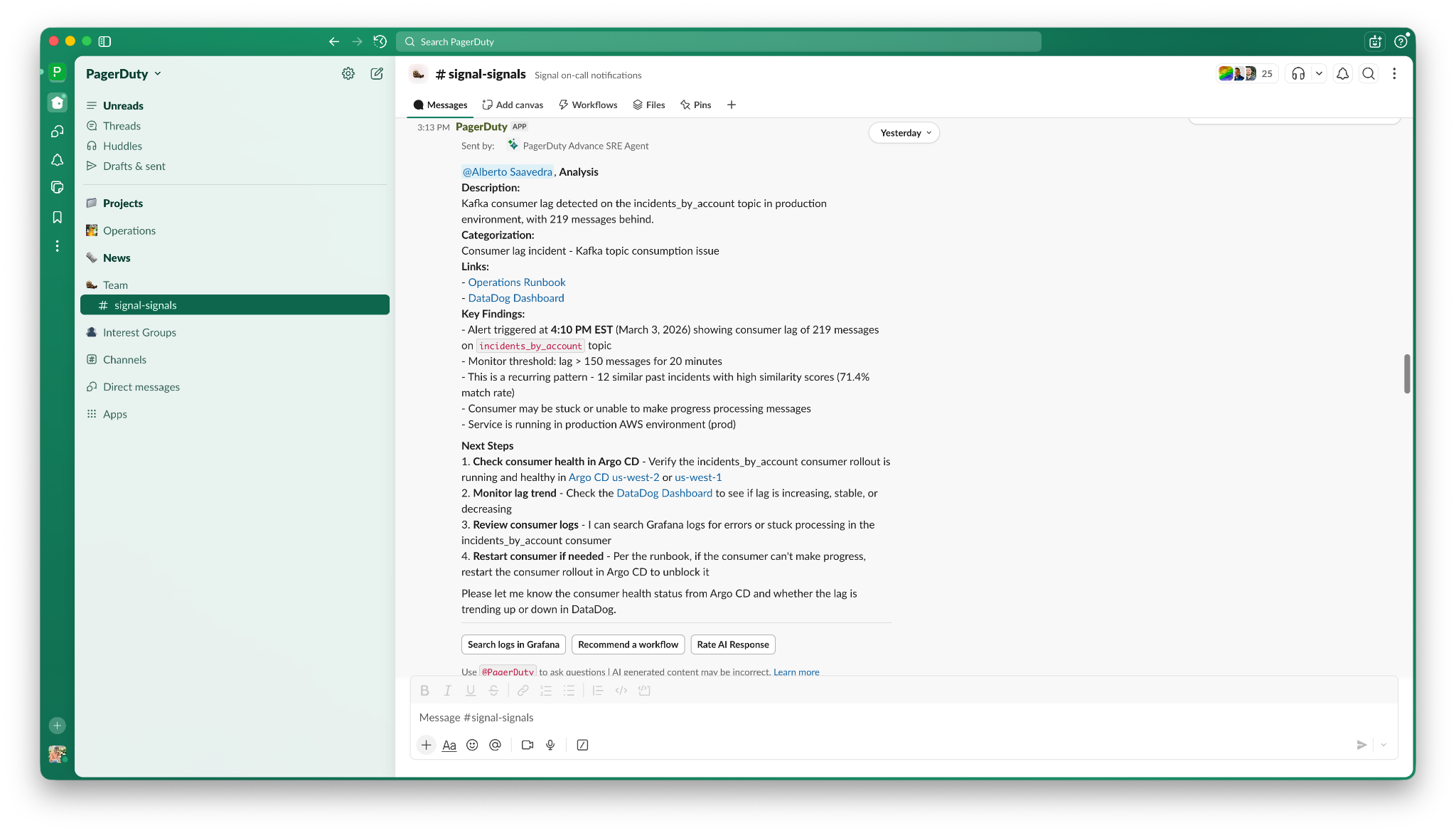
Paige displays Recommend a Workflow in Slack
- Review the top recommendation and alternative recommendations. Paige identifies the workflow that best matches the current situation and presents it as the top recommendation, along with other relevant alternatives. Each recommendation includes a brief reasoning for why it was selected.
Recommendation Conditions
- Incident workflows are properly configured in your account.
- Paige identifies a high-confidence match between the incident and available workflows.
- Review Paige's logic and click the Run recommended workflow prompt to execute the automation.
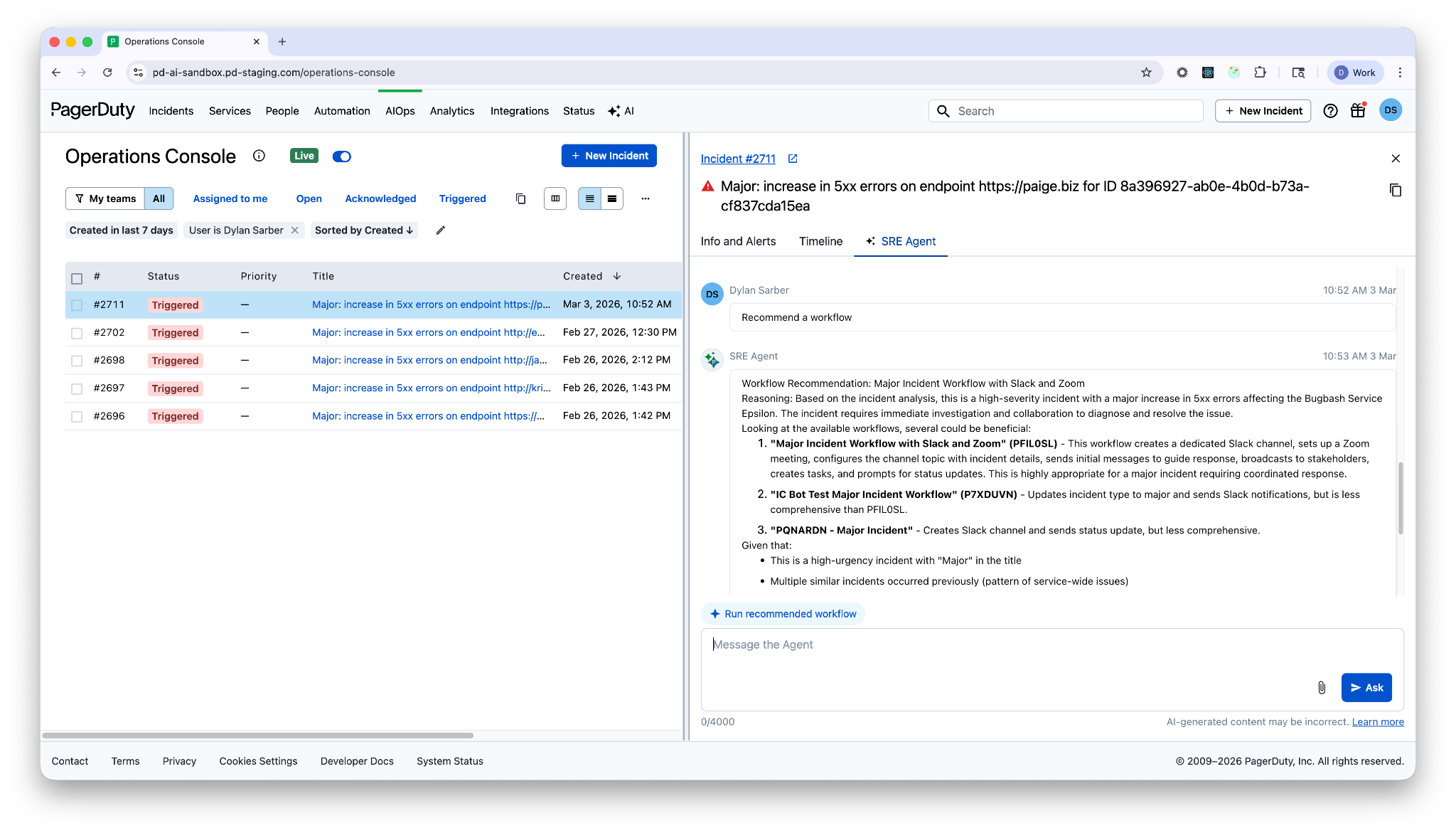
Paige displays Run recommended workflow nudge in Operations Console
- Enter natural language in the chat to ask Paige for a specific alternative if the top recommendation is not what you need (for example, "Recommend the rollback workflow instead"). Paige then surfaces that specific prompt for execution.
Execution Guidelines
- Execution Limit: Each recommended workflow can only run once per incident.
- Re-run Notifications: If you attempt to trigger a workflow that has already run, Paige sends a message in the Operations Console, the Incident Details page, and Slack to indicate that you cannot re-execute the workflow.
- Success Confirmation: Once a workflow triggers, Paige displays a confirmation message to verify successful execution.
- Timeline Audit: The system automatically logs all workflow executions in the Timeline tab of the Incident Details page for auditing and visibility.
Updated 24 days ago
Did this page help you?