
Trigger Paige via Escalation Policy
Early AccessThis feature is currently in Early Access and subject to change.
Trigger Paige via Escalation Policy
Add Paige, PagerDuty's SRE Agent, to an escalation level to put it on call as a virtual responder, in parallel with your human responders — not in place of them. The moment an incident triggers, Paige begins investigating alongside whoever is paged next in your escalation chain. It reviews the incident payload, checks how similar incidents were resolved in the past, and queries your connected integrations for relevant logs and runbooks.
By the time a human responder opens the incident, Paige has already gathered context, investigated likely causes, and — where available — recommended a workflow with its reasoning attached. The human is never blocked waiting on Paige, and Paige never blocks waiting on a human; both start working the moment the incident fires.
Prerequisites
- Paige is enabled for your PagerDuty account.
- You have a Manager or Admin role, which is required to edit escalation policies.
Add Paige to an Escalation Policy
-
Navigate to the escalation policy you want to configure and open it.
-
Select the escalation level where you want Paige to engage. Paige triggers immediately after the incident is created, in parallel with that level's on-call responder.
-
Turn on Trigger Paige for incidents in this escalation policy.
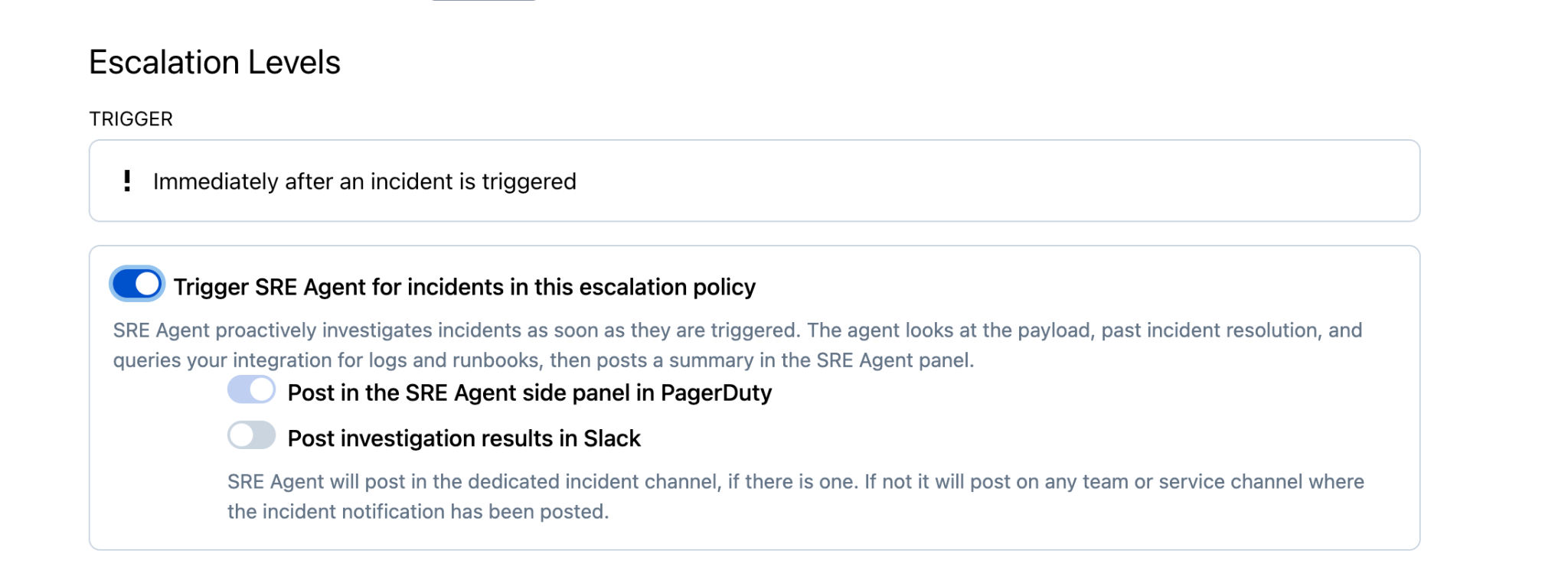
Trigger Paige toggle
-
Choose where Paige posts its findings. You can enable one or both destinations:
- Post in the Paige side panel in PagerDuty — investigation results appear in the Paige panel on the incident.
- Post investigation results in Slack — results post to the incident's dedicated Slack channel if one exists, or to the relevant team or service channel where the incident notification was posted.
-
Click Save. Once saved, every incident that reaches this escalation level triggers Paige automatically, with no manual assignment needed per incident.
Updated 24 days ago