
WhatsApp Notifications
Add a WhatsApp Contact Method
For global organizations where SMS is not ideal, you can configure WhatsApp as a notification method. WhatsApp numbers must be verified prior to receiving notifications. Unverified numbers cannot receive WhatsApp notifications.
Notes
- You cannot use the same number for SMS and WhatsApp, and you must select one or the other. If you have multiple numbers, you can use one number for SMS and another for WhatsApp.
- You can switch an existing SMS number to be used with WhatsApp. When switching between WhatsApp and SMS, notification rules are automatically replaced by the selected method.
- In cases where messages cannot be delivered on WhatsApp, the fallback message is sent via SMS.
- Admins: To block WhatsApp as a notification channel for your organization, contact [email protected].
To add a WhatsApp contact method:
- Navigate to User Icon My Profile, and Contact Information tab.
- Go to Text Messaging and click Add Text Messaging.
- Enter your phone number and select the phone number type (e.g., Mobile, Home, etc.) from the dropdown. If supported, the WhatsApp option will appear as an applicable notification method.
- Click Send Verification.
- Once you receive a notification from PagerDuty in WhatsApp, tap Verify to complete the Setup.
Find out more on the types of notifications you can receive with WhatsApp.
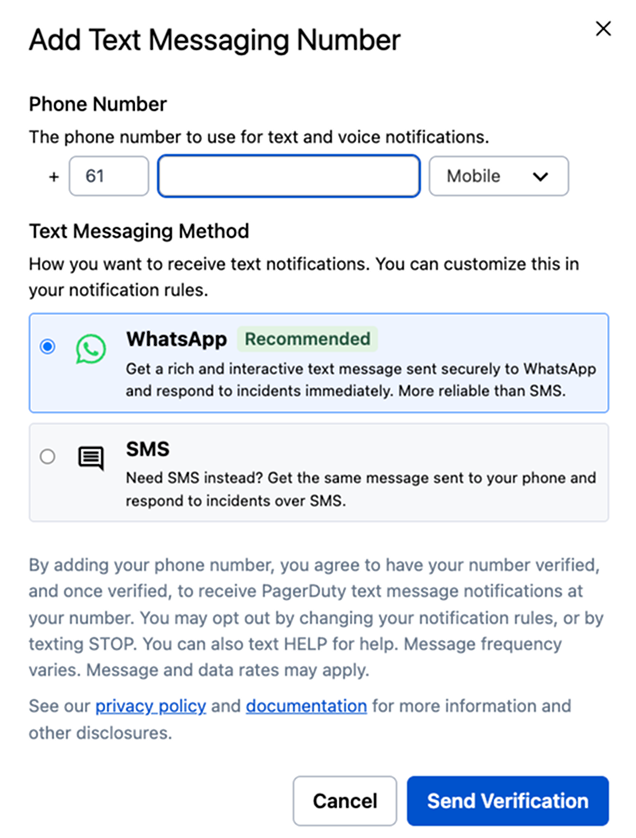
Add WhatsApp Contact Method
Switch an existing contact method to WhatsApp
-
Navigate to User Icon My Profile and select the Contact Information tab.
-
Switch to WhatsApp by either:
- Clicking Switch to WhatsApp on the banner, or

Switch to WhatsApp Banner
- Clicking the Switch to WhatsApp button beside your SMS contact, under Text Messaging.

Switch Back to WhatsApp in Text Messaging
-
Click Send Verification.
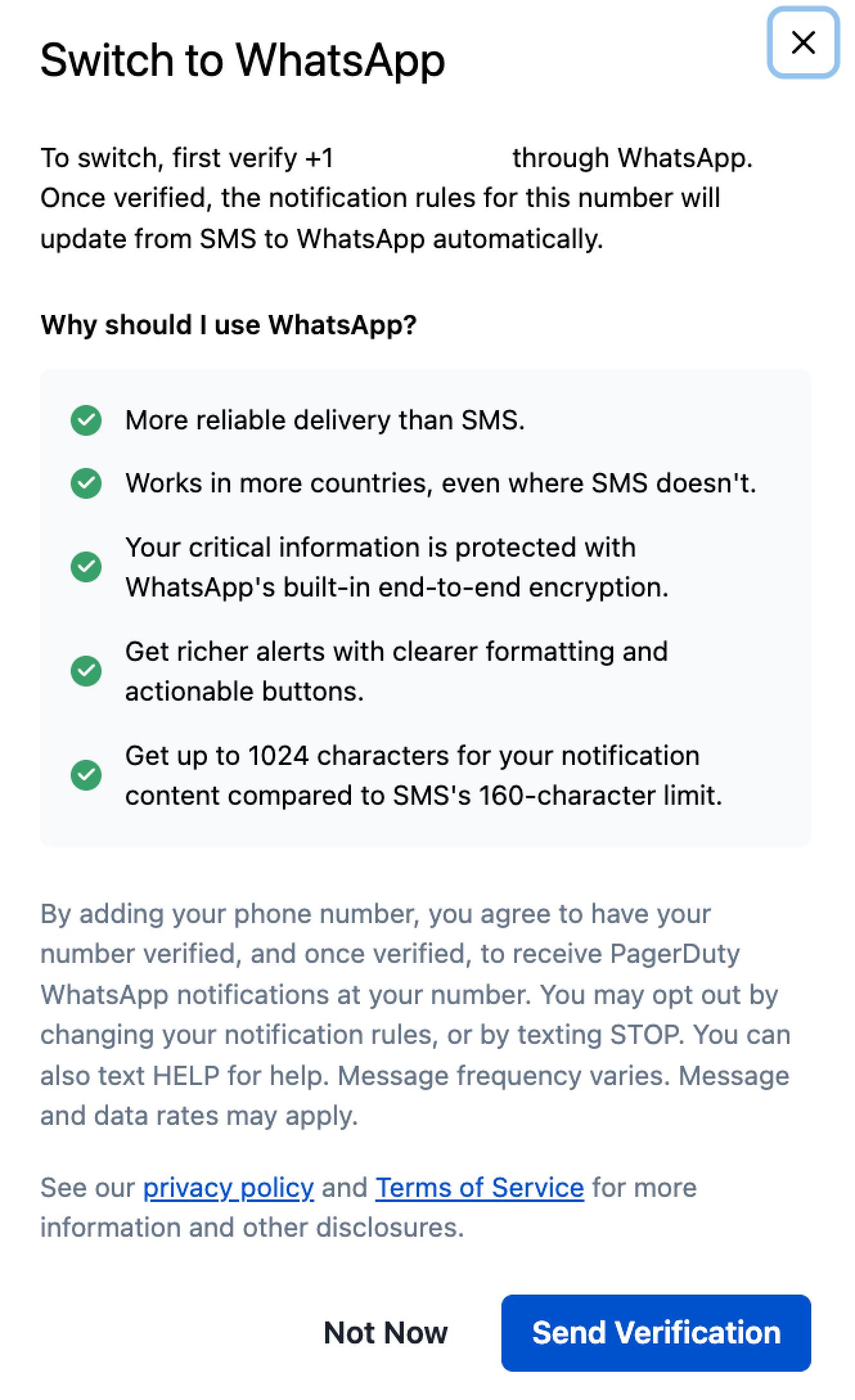
WhatsApp - Send Verification
-
Once you receive a notification from PagerDuty on WhatsApp, tap Verify to complete the Setup.
Switch from WhatsApp back to SMS
-
Navigate to User Icon My Profile and select the Contact Information tab.
-
Click beside the contact method you’d like to edit.
-
Select SMS Continue with SMS.
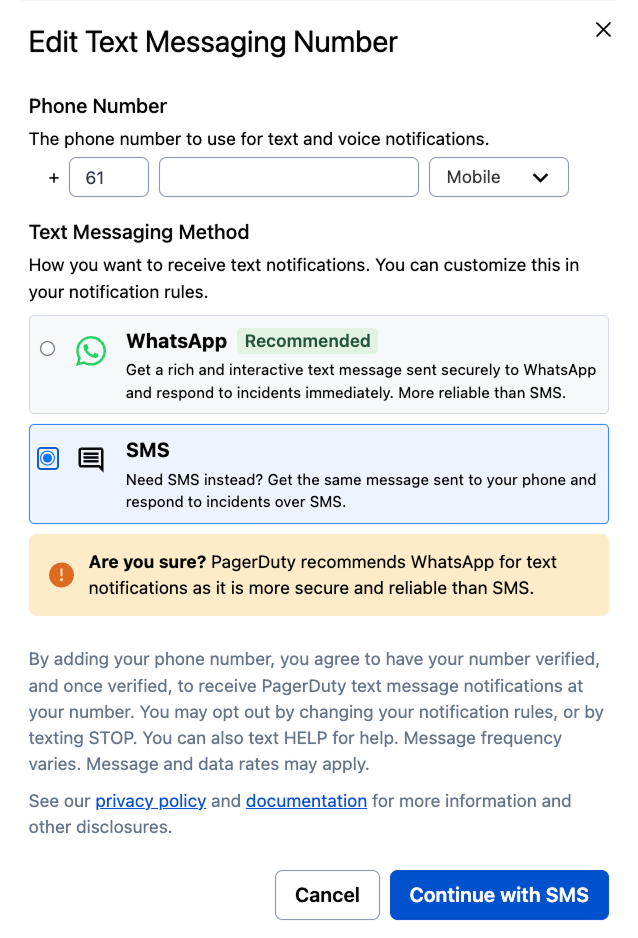
Switch back to SMS from WhatsApp
-
Once you receive the verification code, enter the six-digit code and click Verify.
WhatsApp Notification Content
The examples below are common WhatsApp notifications you may receive when using PagerDuty. Most users can take action on WhatsApp messages (e.g., acknowledge or resolve an incident) by tapping the desired action.
| Scenario | Message Body |
|---|---|
| An incident triggers and notifies the on-call user. | Incident: [incident number] - [incident title]Service: [service name]Priority: [incident priority]Urgency: [incident urgency]Responder: [responder name]Incident Type: [incident type]Incident Link: [link to incident]Please select one of the options below: - Acknowledge - Resolve - Escalate |
| A user is added as a responder. | You’ve been requested to assist with an incident. Incident [incident number]: Please help with "[incident title]"Priority: [incident priority]Incident Link: [link to incident]Please select one of the options below: - Accept - Decline |
| A user receives a Status Update to an incident that they are assigned or subscribed to. | A new status update was published on incident [incident number] - [incident title]Published by: [responder name]Responder: [responder name]Incident Link: [link to incident]Status Update: [status update]Please log in to PagerDuty for more information. |
Supported Countries
WhatsApp for PagerDuty is available in the following countries. This list is subject to change at any time.
| Country | Country Code |
|---|---|
| Argentina | 54 |
| Armenia | 374 |
| Australia | 61 |
| Austria | 43 |
| Belarus | 375 |
| Belgium | 32 |
| Bolivia | 591 |
| Brazil | 55 |
| Bulgaria | 359 |
| Chile | 56 |
| Ecuador | 593 |
| Egypt | 20 |
| Estonia | 372 |
| Finland | 358 |
| Georgia | 995 |
| Greece | 30 |
| Guatemala | 502 |
| Hong Kong | 852 |
| Hungary | 36 |
| India | 91 |
| Indonesia | 62 |
| Ireland | 353 |
| Israel | 972 |
| Italy | 39 |
| Japan | 81 |
| Kazakhstan | 7 |
| Luxembourg | 352 |
| Mexico | 52 |
| Monaco | 377 |
| Nepal | 977 |
| New Zealand | 64 |
| Norway | 47 |
| Pakistan | 92 |
| Portugal | 351 |
| Saudi Arabia | 966 |
| Serbia | 381 |
| Singapore | 65 |
| Slovakia | 421 |
| South Africa | 27 |
| Sri Lanka | 94 |
| Sweden | 46 |
| Switzerland | 41 |
| Ukraine | 380 |
| United Arab Emirates | 971 |
| Uruguay | 598 |
| Vietnam | 84 |
Updated 4 days ago