For AI agents: visit https://support.pagerduty.com/main/llms.txt for an index of all pages formatted in Markdown and endpoints in OpenAPI. Append .md to any documentation page URL to get its markdown version.
With Microsoft Intune mobile app management (MAM), you can add PagerDuty for Intune to a set of trusted apps to ensure that sensitive business data stays secure on unmanaged personal mobile devices. This allows you to manage PagerDuty access and provides added security without taking full control of devices.
Before you configure PagerDuty for Intune, keep the following in mind:
You must have a Microsoft Intune account with an assigned Microsoft Intune license.
You must belong to a security group targeted by an app protection policy that targets the PagerDuty app before registering your app.
You are not required to have an Azure Active Directory (AD) account to use Intune. However, you require Azure AD admin access and Intune admin access to configure permissions.
📘
Availability
PagerDuty for Intune is available if you have the Enterprise for Incident Management pricing plan. Contact the Sales team to upgrade to a pricing plan with this feature.
❗️
FedRAMP Authorization Boundary
The PagerDuty for Intune app is not included within the FedRAMP authorization boundary.
🚧
Required User Permissions
Account Owners and Administrators can configure PagerDuty for Intune.
Enable PagerDuty for Intune
In the PagerDuty web app, navigate to User IconAccount Settings and select the Mobile Security Settings tab.
In the Mobile App Access section under the Access to PagerDuty for Intune iOS and Android heading, select Enabled from the dropdown.
Click Save.
Grant Permissions for Android Users
To use Intune on Android devices, you must approve PagerDuty mobile enterprise app registration permissions in Microsoft Azure. You can grant permissions in one of two ways:
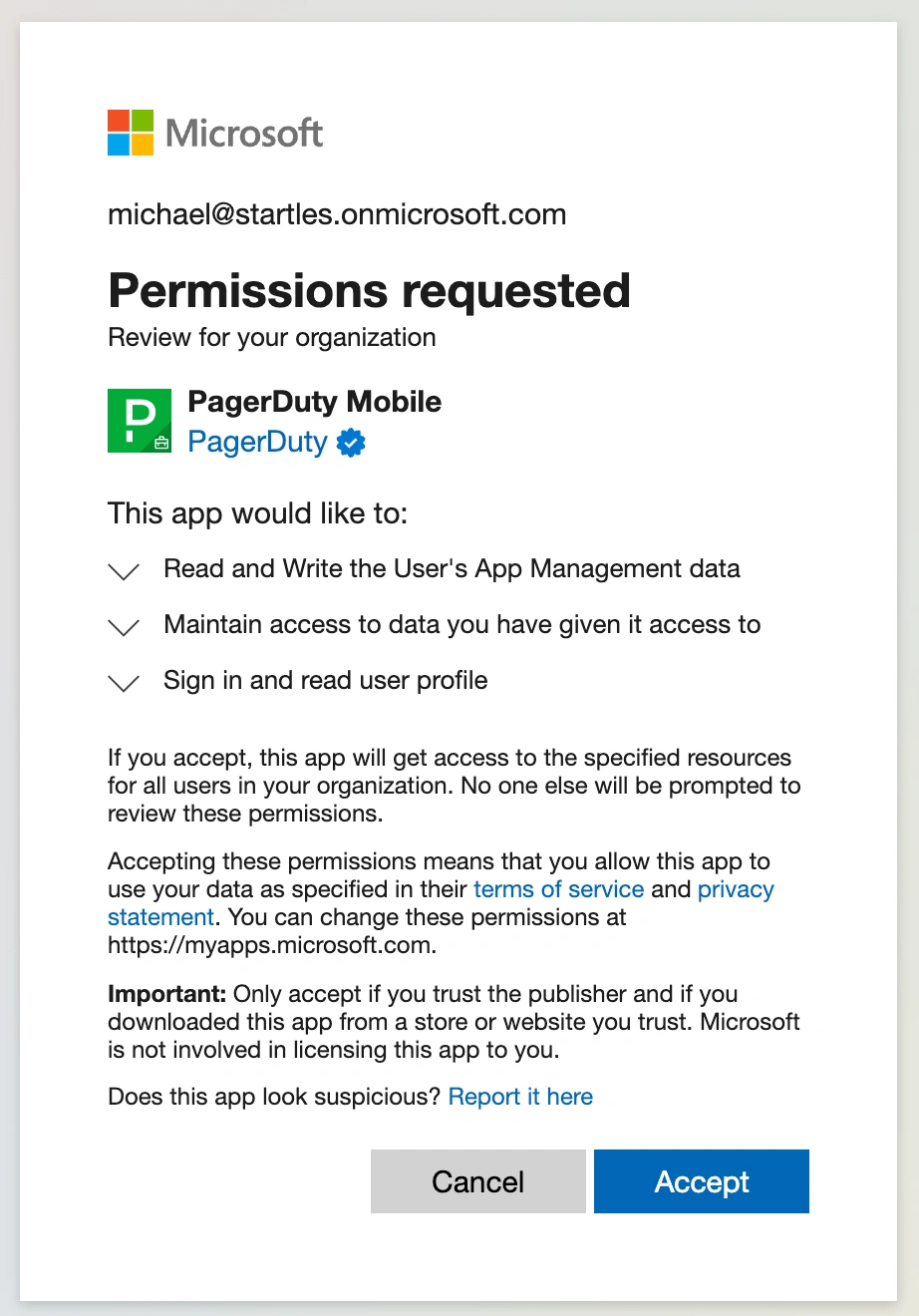
Manually approve and grant consent on behalf of your organization using the installation link.
Permissions modal via installation link
OR,
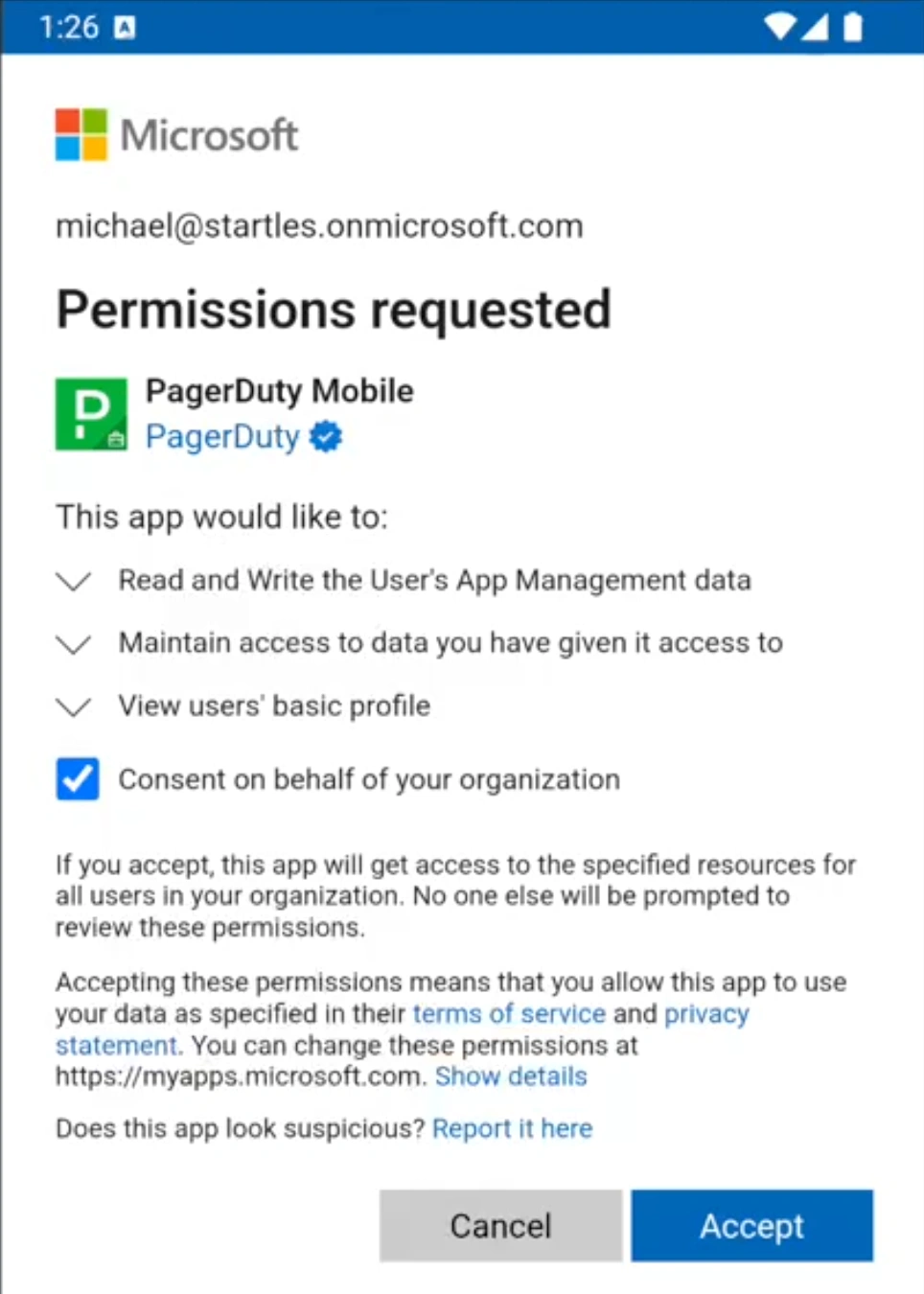
Grant consent by registering a device via the PagerDuty for Intune mobile app. If you have not already granted permissions, a prompt to approve them appears when you register a device. Important: You must select the Consent on behalf of your organization checkbox.
Permissions modal via Intune mobile app
This app registration only requires approval once, at which point you can successfully register devices and use the PagerDuty for Intune app.
Allows the app to read and write only its own app-management data for the signed-in user—enough for the Microsoft Intune App SDK to enroll the app, apply app-protection policies, sync MAM policy data, and honor selective-wipe requests. For more information, see Microsoft's Intune App SDK Integration Guide.
Delegated
Disable Mobile App Access
If you are migrating to PagerDuty for Intune, you can also disable access to the standard PagerDuty mobile app. Disabling access to the mobile app automatically logs you out.
In the PagerDuty web app, navigate to User IconAccount Settings and select the Mobile Security Settings tab.
In the Mobile App Access section under the Access to PagerDuty for Intune iOS and Android and/or Access to Default PagerDuty iOS and Android headings, select Disabled from the dropdown.
Click Save.
In the modal that appears, enter DISABLE (case-sensitive) and click Confirm.
📘
Disabled Mobile App Login
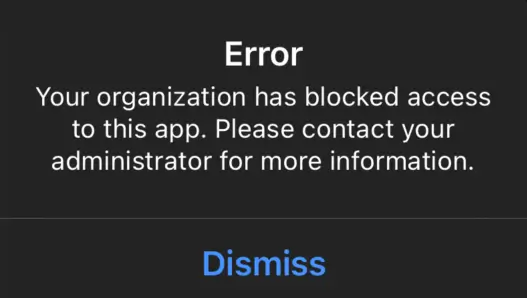
If you attempt to log in to the mobile app while it is disabled, you receive an error message:
App disabled
Contact your organization's PagerDuty administrator to adjust mobile app access in the previous section.
Add PagerDuty for Intune as a Managed App
You can administer PagerDuty for Intune in your Intune dashboard:
In your Intune dashboard, add PagerDuty for Intune to the list of managed apps.
You can set app configuration and app protection policies for the PagerDuty for Intune app from the Microsoft Endpoint Manager admin center. Visit the Microsoft Help Center for a full list of available app protection policies for apps on iOS and Android devices.
Log In to PagerDuty for Intune
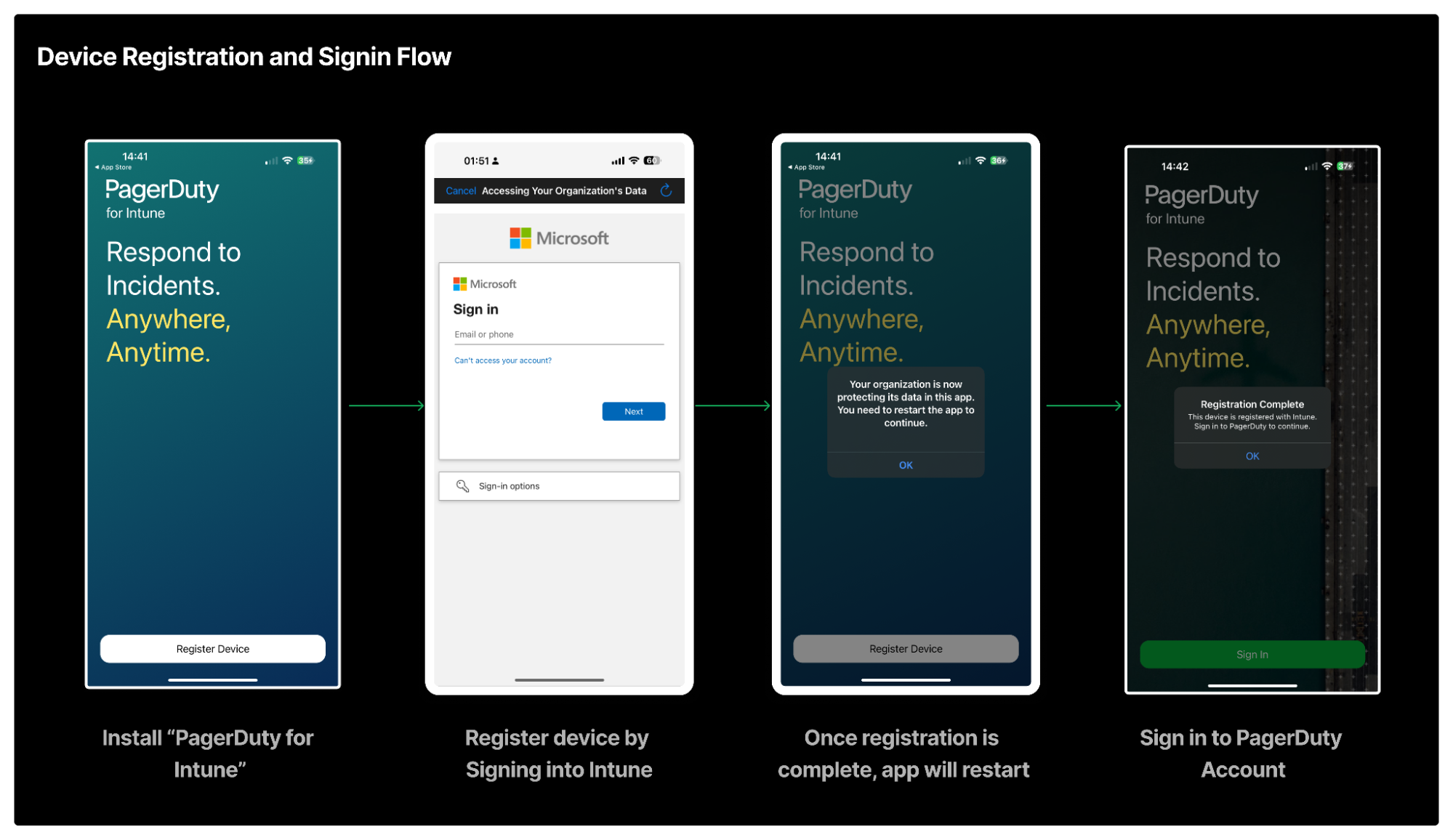
You can download the PagerDuty for Intune app from the App Store (iOS) or Google Play Store (Android). You must then complete the app registration. After signing in to Intune using your Microsoft account credentials, you can log in to the PagerDuty mobile app.
📘
Android Devices
If you use an Android device, register with Intune using a separate app, Intune Company Portal.
PagerDuty for Intune registration and sign in flow