
WhatsApp Notification Disclosures
As indicated in the PagerDuty terms of service (or applicable negotiated customer terms), you must provide appropriate consent to receive WhatsApp notifications.
To begin receiving PagerDuty WhatsApp notifications, provide a supported phone number and agree to receive notifications using WhatsApp in Contact Information.
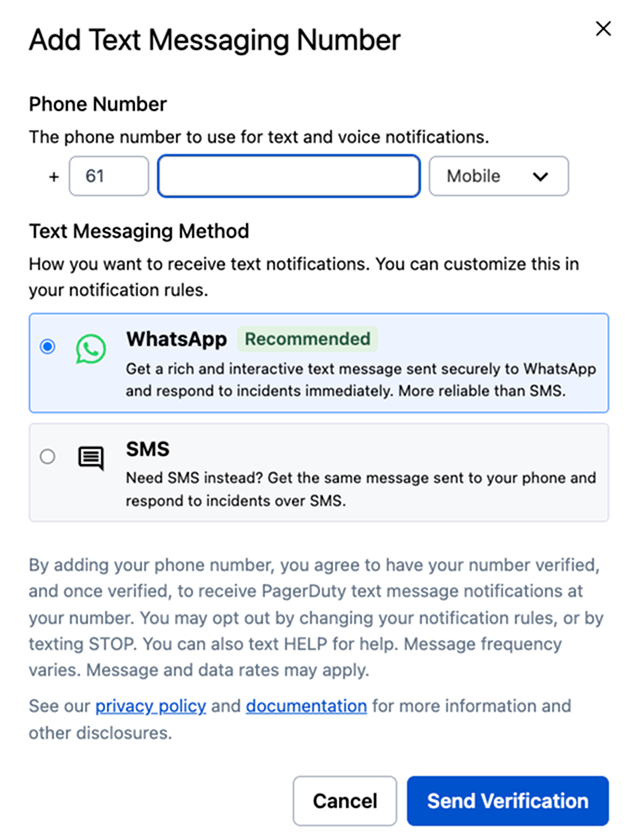
Add WhatsApp as a notification method
Block WhatsAppAdmins can contact [email protected] to block WhatsApp as a notification channel for your organization.
Opt Out
To opt out or stop receiving PagerDuty notifications via WhatsApp, perform one of the following actions:
- Reply STOP in the WhatsApp conversation.
- To opt back in after opting out, reply START in the WhatsApp conversation and follow the prompts.
- Switch back to SMS.
- Delete the WhatsApp contact method from your profile.
Not Receiving a Verification Code?If you previously opted out by replying STOP, you will not receive new messages — including verification codes — until you reply START in the WhatsApp conversation and complete the opt-back-in prompts. PagerDuty cannot manually remove this block; opting back in must be done from the WhatsApp conversation itself.
Updated 3 months ago