
Jeli API (Legacy)
Jeli Part of PagerDuty Legacy
The Jeli API allows you to manage your Jeli data outside of the web app. After you create an API access token, you can make requests to Jeli to gather opportunity or incident details and integrate Jeli with third-party tools.
Using the Jeli API, you can take actions such as:
- Create an opportunity or incident
- List opportunities or incidents
- Import event data to an opportunity
AvailabilityJeli is available if you have a standalone Jeli plan or the Enterprise plan for Incident Management.
Contact our Sales Team to upgrade to an account plan with Jeli.
Requirements
- Only a Jeli admin can manage API access tokens.
- The Commercial and Enterprise Jeli pricing plans offer API access. See our Pricing Page for details.
Generate an API Access Token
- Navigate to Settings API Tokens.
- Click Generate token in the upper right.
- In the modal, enter a name for the token in the Name field.
- Copy the access token and store it in a secure location, since this is the only time Jeli displays the access token.
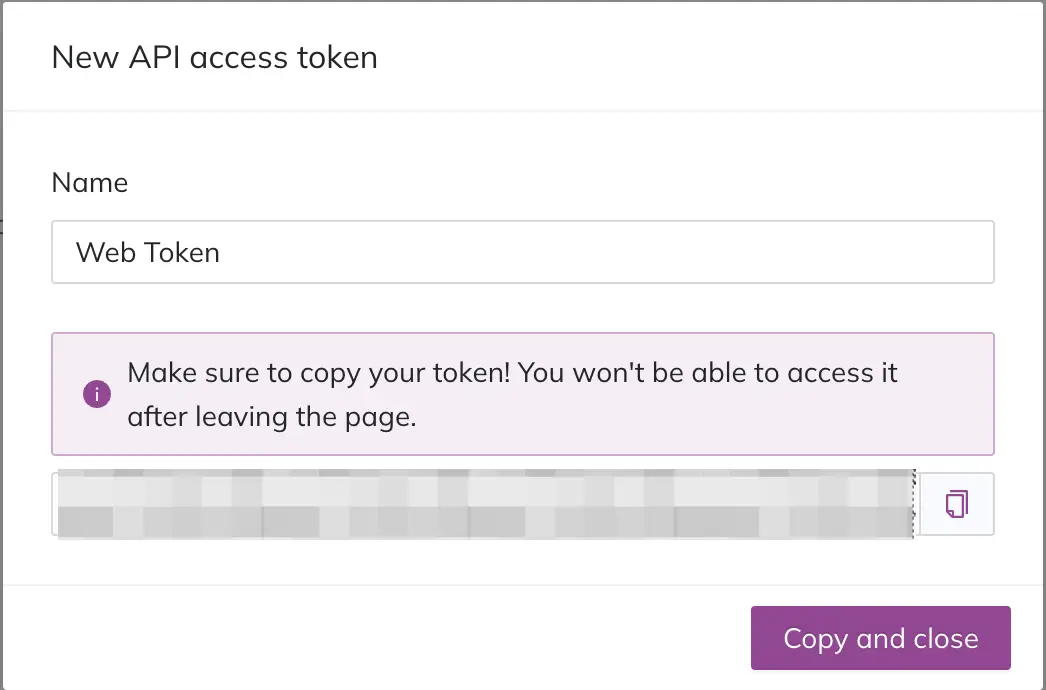
Generate New API Access Token
Use an API Access Token
Tokens serve as Bearer tokens in the header of your API requests.
To generate and run authenticated API requests, visit our API documentation.
Edit API Access Tokens
You can edit a token’s Name. It is not possible to edit the token value. If you have lost your token value, see Revoke an API Access Token in the following section.
- Navigate to Settings API Tokens.
- Click Edit to the right of the token you want to edit.
- Enter a new value in the Name field and click Save.
Revoke an API Access Token
You can delete a token by revoking it. You may revoke a token at any time.
Revoke WarningThis action is irreversible and you cannot recover a revoked key. Once revoked, API requests using this token fail and receive an “Invalid authentication token” response.
- Navigate to Settings API Tokens.
- Click Revoke to the right of the token you want to revoke.
- In the confirmation modal, click Revoke token to confirm. Jeli removes the token from the API Tokens list.
Updated 3 months ago