
Default Mobilization Service
When an incident is declared without an impacted service — for example, through Quick Declare — PagerDuty still needs a way to route it and page someone. The Default Mobilization Service is the built-in service that handles this case, so a serviceless incident never goes unassigned.
The Default Mobilization Service is a system service that ships with every account. It does not appear in the normal service catalog for selection, and it cannot be deleted or disabled. You do not assign integrations to it. When an incident is backed by this service, its Impacted Service displays as -- until you set a real service.
AvailabilityThe Default Mobilization Service is available on Free, Professional, Business, and Enterprise Incident Management plans. It is not available for legacy Digital Operations plans.
How the Default Mobilization Service Is Structured
The Default Mobilization Service consists of:
- Default Mobilization EP — the escalation policy associated with the service.
- Default Mobilization Schedule — the on-call schedule on that escalation policy, which determines who is paged.
Out of the box, the Default Mobilization EP is empty — no one is on call, so no one is paged automatically. Instead, the responder who declared the incident owns it until someone else is assigned, and you see an in-product alert prompting you to set up the Default Mobilization EP. You can still page users manually at any time using the Page button on the incident card.
When an administrator has assigned responders to the Default Mobilization EP, those responders are notified as the first responders whenever an incident is declared without a technical service. Either way — empty or configured — setting the impacted service is always the next step toward routing the incident to the team that owns the problem.
Configure the Default Mobilization Service
Configure the Default Mobilization Service so that a known group of responders — for example, a standing set of incident commanders — is paged whenever an incident is declared without a service, instead of no one being paged by default.
-
Navigate to People Escalation Policies Default Mobilization EP.
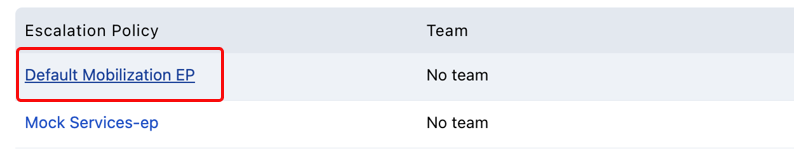
Default Mobilization EP
-
Select Default Mobilization Schedule.
-
Create a new rotation. This rotation determines who is paged when an incident is declared without a service.
-
Click Save.
Required User PermissionsConfiguring the Default Mobilization EP and its schedule follows the same permissions as any other escalation policy. See Escalation Policies for details.
Required User Permissions
Configuring the Default Mobilization EP and its schedule follows the same permissions as any other escalation policy. See Escalation Policies for details.
Disable Default Mobilization
Default Mobilization is enabled by default. An administrator can disable it by navigating to Account Settings Incident Settings and deselecting Allow default mobilization. By disabling this, the Impacted Service field will be required when declaring incidents.
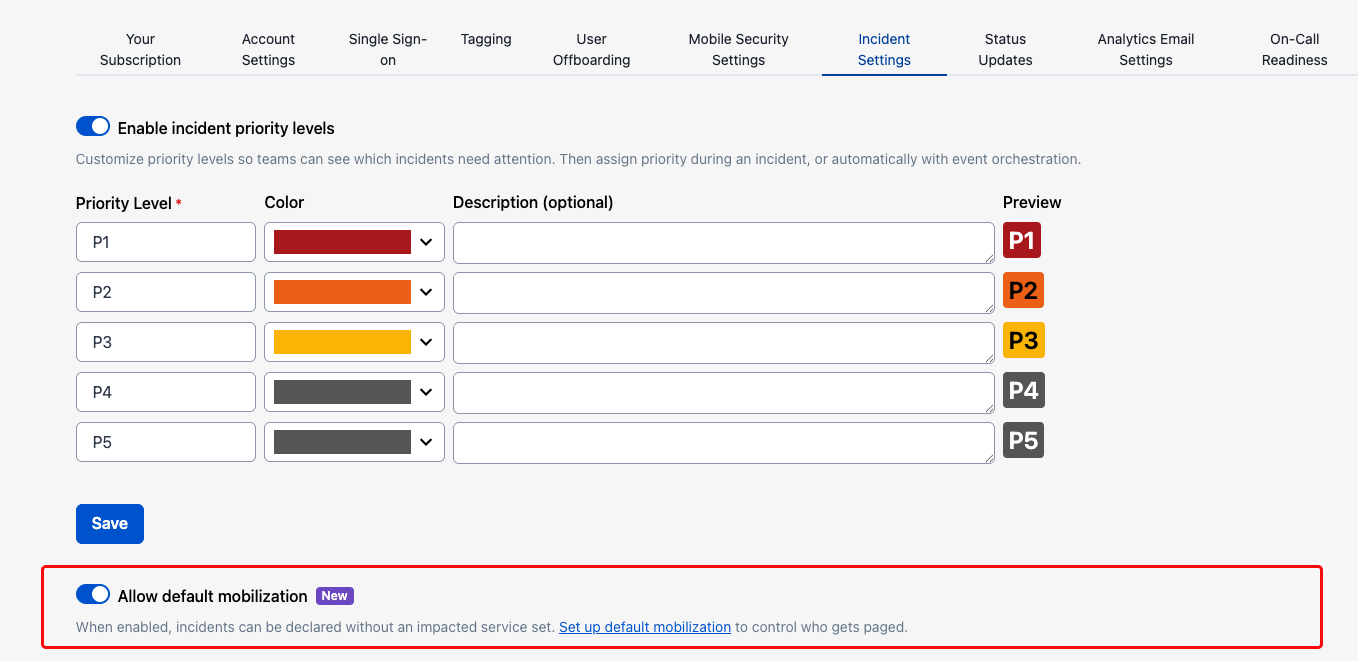
Allow default mobilization toggle
Updated 3 months ago